
DUO Verified Push
DUO Authentication Security Enhancement
The University uses multi-factor authentication (MFA) to secure access to user accounts. MFA requires an additional verification step alongside a username and password before a user can log into an account that uses MFA.
With DUO MFA in place, it is essential to follow vendor recommendations for using this tool to reduce the likelihood of MFA bypass. For this reason, the University continues to leverage new DUO features to enhance user account security.
What's New?
DUO Verified Push
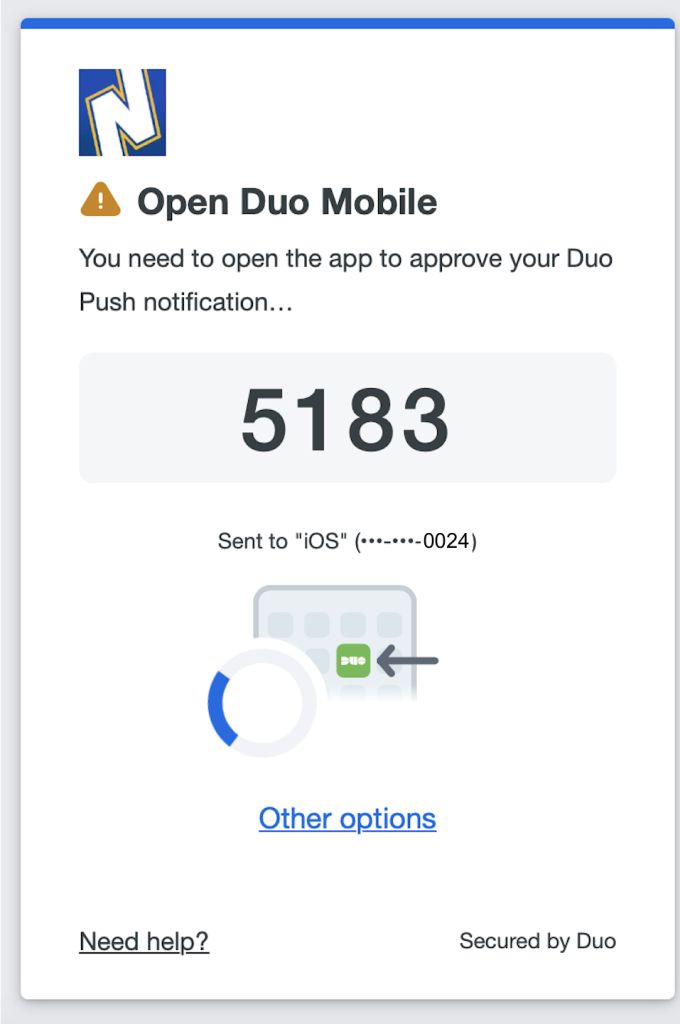
When logging into your account, DUO will display a four-digit code on your login screen, which you will need to enter into your DUO mobile authenticator app to be validated before you can log into your account.
With DUO Verified Push, you will have full control of every login request to your user account, reducing the likelihood of unauthorized access to the account. This is achieved by ensuring that every login request and the validation of the request is visible to and completed only by the authorized user before access is granted.
How DUO Verified Push Works
Step 1: After entering your username and password on an NEIU application login screen, your login screen will present a 4-digit DUO code as shown below:
Step 2: Open your DUO mobile authenticator app. It will prompt you to enter the four digit code displayed on your login screen. Simply enter the code in the field presented, then tap Verify to complete verification.
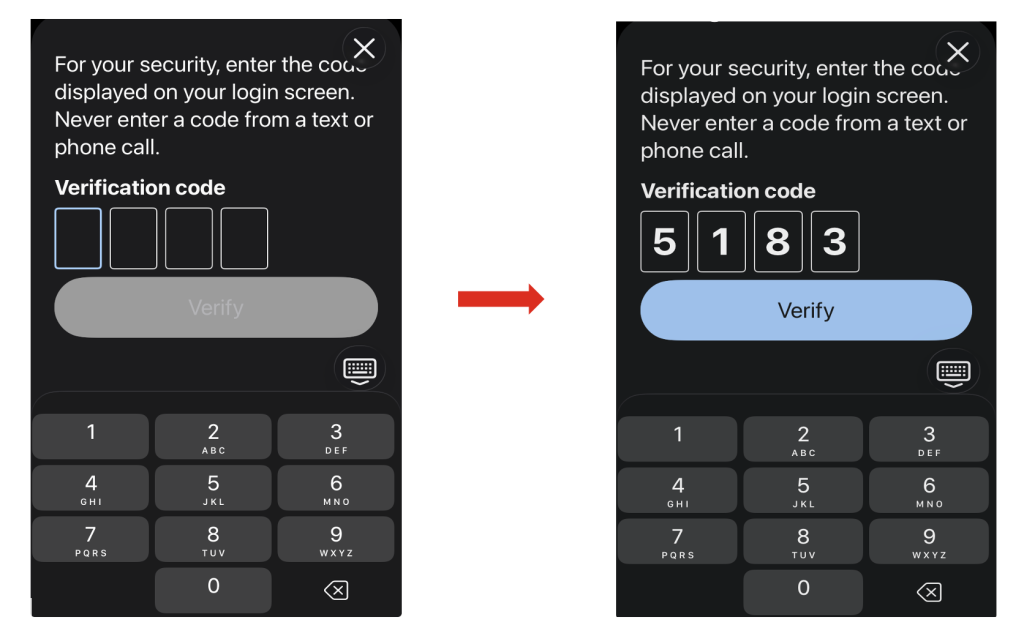
Once verified, you will be logged into the NEIU application.
For questions or support, please contact the IT Service Desk:
University Technology Services
Submit a UTS Service Desk Ticket
Email: IT-ServiceDesk@neiu.edu
Phone: (773) 442-4357